Nocturna — Kanban Control Center for Hermes Agent
The open-source kanban control center for the Hermes Agent automation engine.
Self-host a polished, real-time task board for your AI workforce — running entirely on your own hardware, talking to your local Hermes CLI, and built to be the dashboard you'd actually want to live in.
Quick Links
| Live deployment | https://nocturna.hermes.dev.aldof.duckdns.org |
| Live gateway | https://gateway.hermes.aldof.duckdns.org |
| GitHub repo | https://github.com/Aldo-f/Nocturna |
| Spec docs | specs/000-nocturna/spec.md |
| Build guide | specs/000-nocturna/build-guide.md |
The Goal
Make a self-hosted Hermes Agent feel like a real product.
Nocturna turns the raw hermes CLI into a real-time, multi-user kanban that anyone on your home network can use. Whether Hermes is running on the same machine (Local CLI), on another Pi on your LAN (LAN discovery), or remotely via the official gateway — Nocturna speaks all three modes with a single UI and zero config files for the end user.
It's the dashboard I'd want when I'm letting an agent work overnight.
Features
- Three backends, one UI — talk to Hermes via Local CLI (spawns
hermesbinary), LAN-discovered instance, or remote Gateway over HTTPS. - Real-time board — 3-second polling, idle detection, drawer-based task detail, lifecycle actions (
complete,block,promote,archive). - Multi-user ready — built-in auth, scrypt password hashing, session tokens, role-aware instance setup wizard.
- LAN discovery — scan your local network for running Hermes instances, register them, switch between them without restarting.
- Self-contained data — SQLite via Node 22's built-in
node:sqlite(no external DB needed), single file atdata/nocturna.db. - Honest state model — no fake retries, no rescheduling, blocked/failed cards stay honest.
- Single-command deploy —
docker compose up -dand you're onhttps://<host>.<your-domain>with TLS via Traefik.
Try It in 60 Seconds
# 1. Clone
git clone https://github.com/Aldo-f/Nocturna.git
cd nocturna

# 2. Install
npm install

# 3. Run
npm run dev
# → http://localhost:3000
That's it. First launch shows a Setup Wizard — pick your Hermes backend (Local CLI / LAN scan / Gateway URL), create your admin account, and you're on the board.
Need Hermes installed first? Grab it from https://hermes-agent.nousresearch.com/docs and run
hermes init. Nocturna auto-detects it at~/.hermes/hermes-agent/hermes.
Documentation
- Getting Started — Installation, setup wizard, first board
- Architecture — System design, data model, request lifecycle
- Deployment — Docker, Traefik, reverse tunnels, cloud hosting
- API Reference — REST endpoints, authentication, error codes
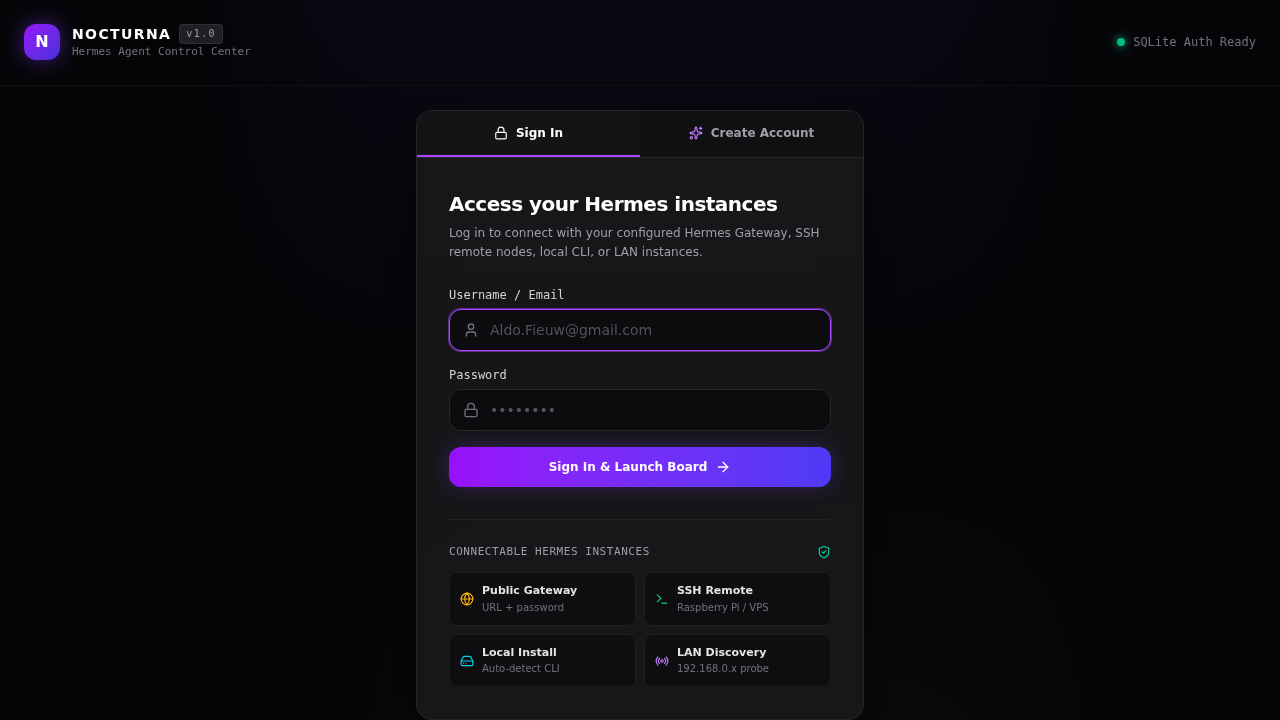
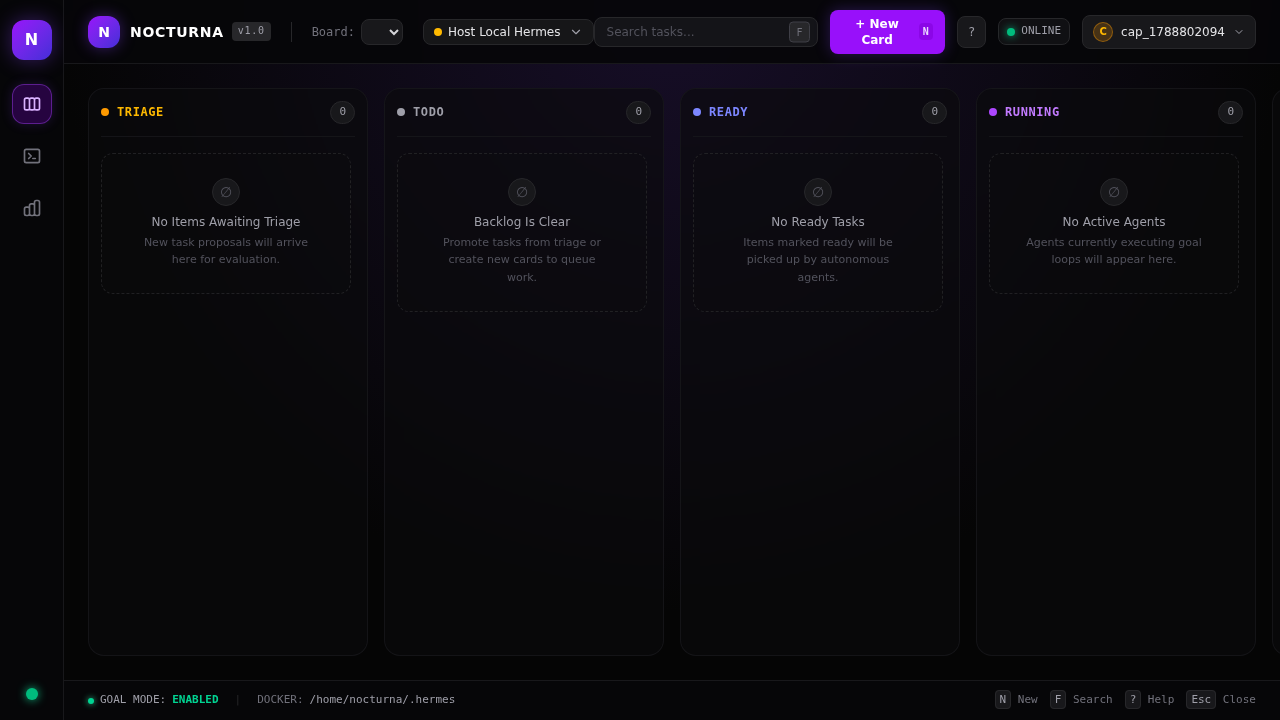
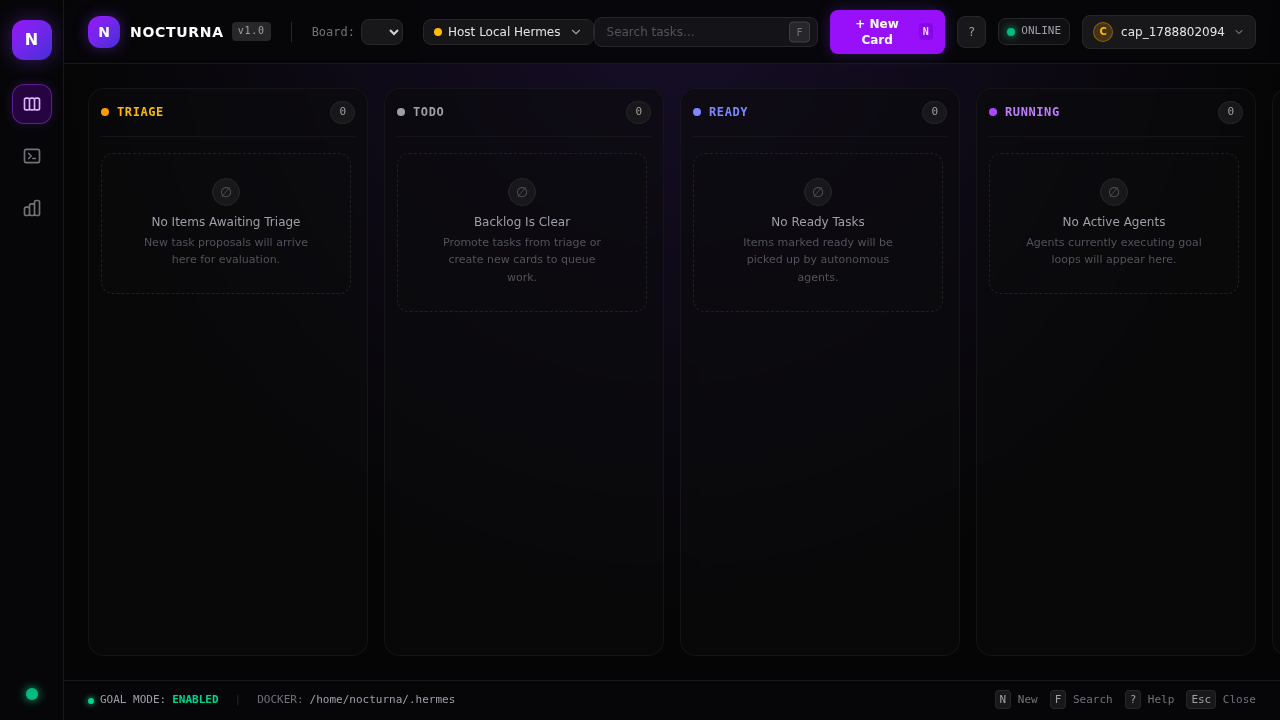
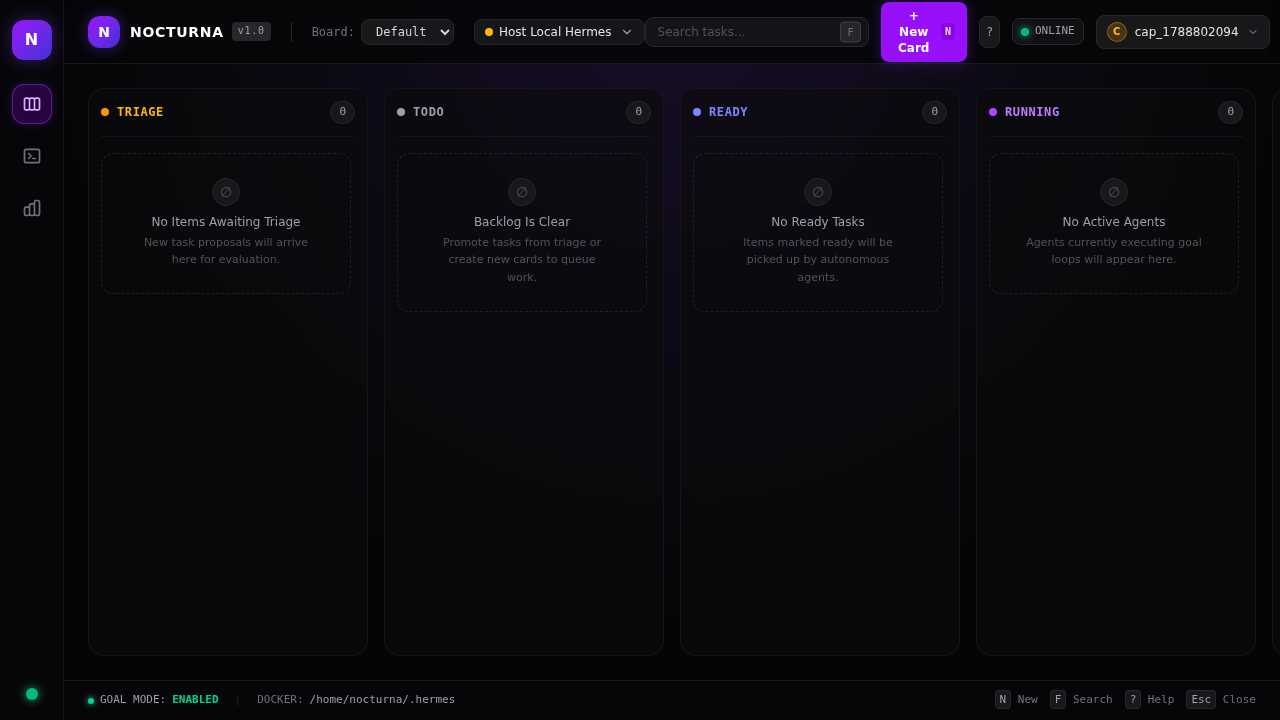
- Screenshots — Login, board, setup wizard, LAN discovery
Connecting from Anywhere
You can connect Nocturna (hosted anywhere — Google AI Studio, Railway, Vercel, etc.) to your local Hermes installation.
Method A: Hermes Gateway (Recommended)
Start the Hermes Gateway on your local machine, then enter the URL into Nocturna's Instance Manager.
-
Set a gateway password:
hermes config set web.basic_auth.password "your-secure-password" -
Start the gateway:
hermes gateway start -
Find your gateway URL (default:
http://127.0.0.1:8787). -
In Nocturna: Instance Manager → Link New Instance → select Hermes Gateway → enter URL and password.
Need a public URL? Use Method B (reverse tunnel) to expose your local gateway without port forwarding.
Method B: Reverse Tunnel (ngrok / Cloudflare / Tailscale)
Expose your local Hermes Gateway to the internet without changing router settings.
With ngrok:
ngrok http 8787
With Cloudflare Tunnel:
cloudflared tunnel --url http://localhost:8787
With Tailscale (simplest):
tailscale up
# Access via Tailscale IP: http://100.x.x.x:8787
Method C: SSH Remote
Connect via SSH to a host that has Hermes installed.
Requirements: SSH access, Hermes installed there, firewall allowing inbound SSH (port 22).
Quick Decision Table
| Your situation | Recommended method |
|---|---|
| Hermes and Nocturna on same machine | Local Install (auto-detect) |
| Hermes on another device on same network | LAN Discovery |
| Hermes on home server, Nocturna in cloud | Method A: Gateway |
| Hermes behind NAT, no port forwarding | Method B: Reverse Tunnel |
| Hermes on a VPS with SSH access | Method C: SSH |
Development
npm run dev          # Vite + tsx server with HMR
npm run build        # Vite frontend + esbuild server → dist/
npm start            # Production: node dist/server.mjs
npm test             # Vitest unit/integration
npm run test:e2e     # Playwright E2E (auto-starts dev server)
npm run lint         # tsc --noEmit
See AGENTS.md for the full architecture map and conventions.
API Documentation
Nocturna exposes a REST API documented using OpenAPI 3.0.
- Swagger UI: http://localhost:3000/api-docs (after
npm run dev) - Raw spec:
dist/specs.json(generated during build vianpm run spec)
npx swagger-cli validate ./dist/specs.json
Screenshots
| Login | Board | Setup | Discover |
|---|---|---|---|
 |
 |
 |
 |
Project Status
This is an actively-developed personal project that runs my own home-lab Hermes board every day. It's stable enough for daily use but not yet feature-frozen.
Working today:
- Auth + multi-instance setup
- Local CLI backend (spawns hermes binary)
- LAN discovery (/api/instances/discover-lan)
- Real-time board with lifecycle actions
- Task drawer with full body rendering
- Docker + Traefik deployment
Roadmap: see specs/000-nocturna/spec.md and open issues.
Contributing
We love contributions. See CONTRIBUTING.md for setup, style, and the PR process.
Good first issues are tagged good first issue.
Security
Nocturna stores only local SQLite data (users, sessions, instances) — no telemetry, no third-party calls. Sensitive config (gateway password, API keys) lives in the host's ~/.hermes/config.yaml, never in the image. See SECURITY.md for how to report a vulnerability.
License
MIT © Aldo
Built with 🛠️ on a Raspberry Pi 5. If Nocturna is useful to you, a ⭐ goes a long way.